

So i have been contacted alot here lately about email services and this seems promising. I know we are all waiting for proton mail or dark mail, but it might be a while till then this is the best solution i have found. any thoughts?
Anonymous VPN Service
Ensure privacy with TorGuard
Knowledgebase
Encrypted Email: How to generate a new private Key Pair
TorGuard Encrypted Webmail: How to generate a public Key
This tutorial will show how to generate your personal public OpenPGP Key to send encrypted and anonymous email with TorGuard webmail.
In order to communicate with true end to end encryption, you must first create a public key to exchange with other email receipients.
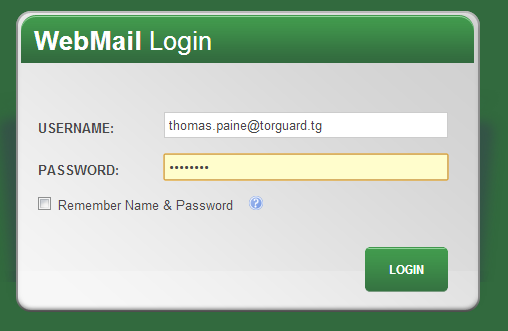
1.) First, login to your secure TorGuard webmail box at:
https://torguard.tg/mail
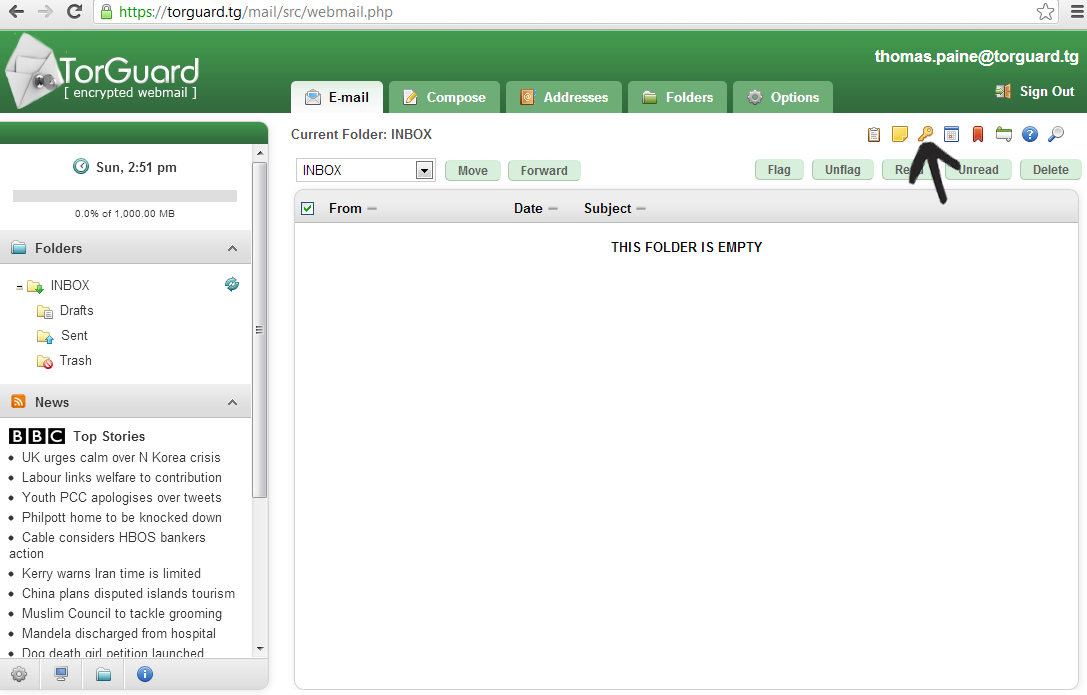
2.) Next, access your keyring management screen by clicking the "key" icon in your top toolbar.
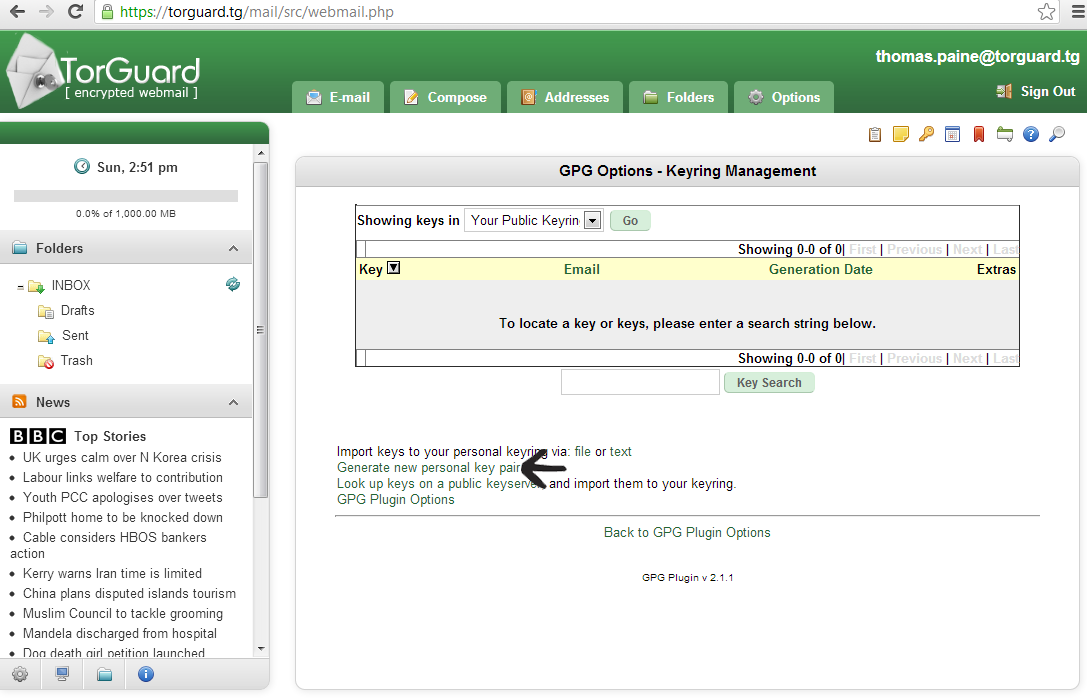
3.) Next, to generate your new personal public/private key pair click "Generate new personal key pair" as seen below:
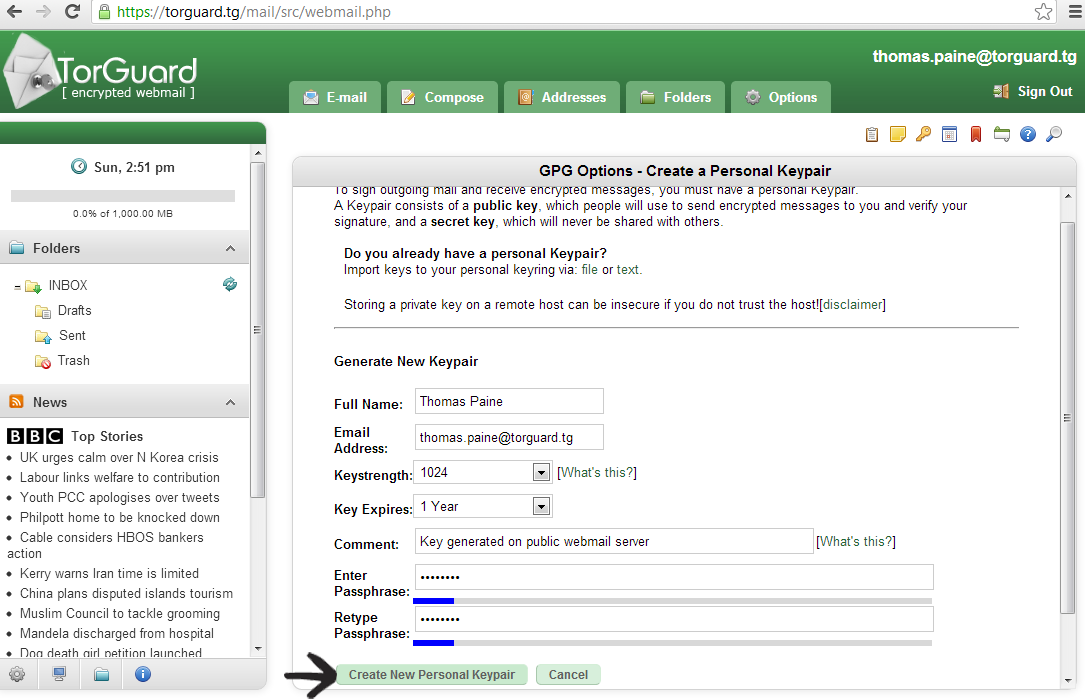
4.) Next, enter your Full Name, email address, requested keystreangth, expiration date, and requested passphrase. Make sure the passphrase is a secure password you'll remember as this will be required to decrypt messages. The default values for keystreangth and expiration date are OK to use.
Click, "Create New Personal Keypair"...
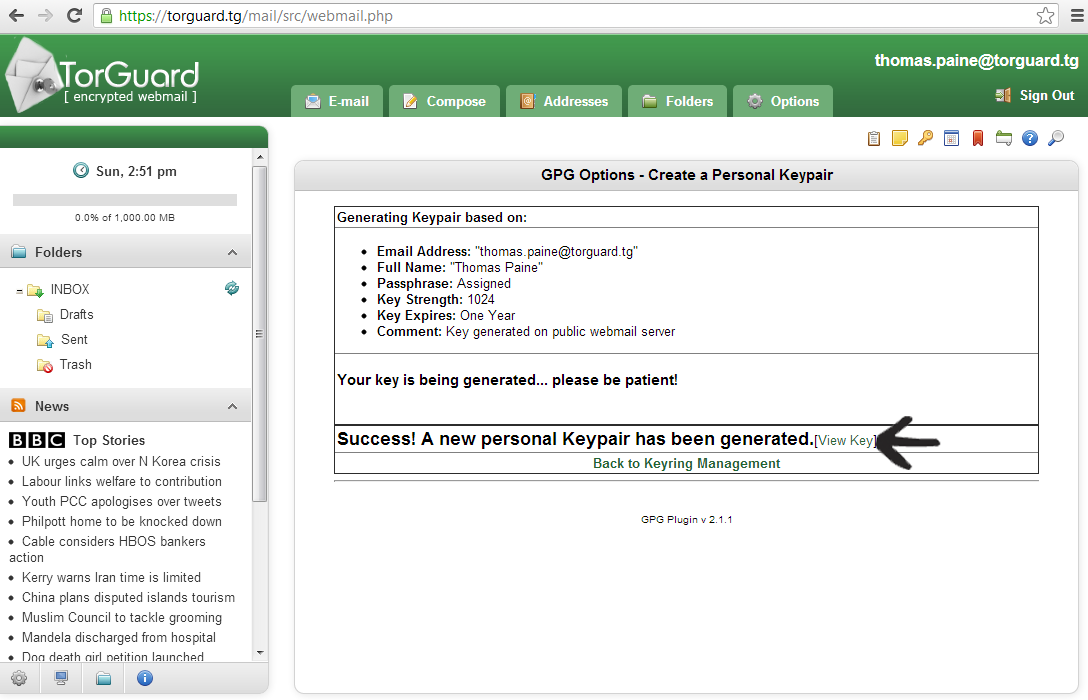
5.) IMPORTANT: Depending on your connection speed, it may take up to five minutes for the server to generate a new personal key pair.
Please be patient and don't click anything until the success message appears. Once complete, click "View Key" to proceed to the next step.
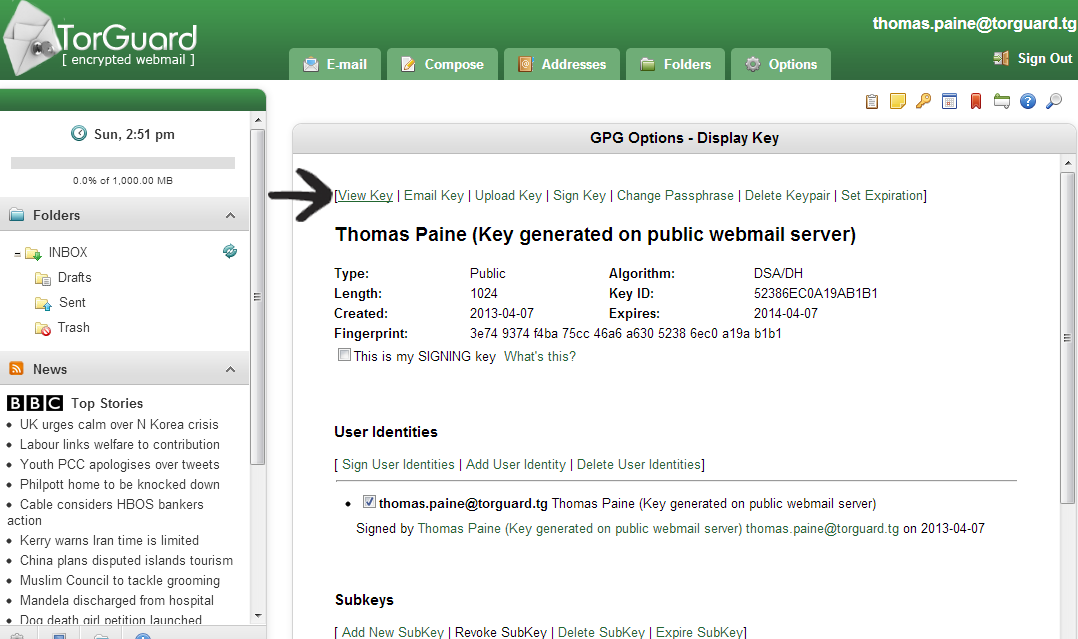
6.) Here you will see your Key details, including the type, length, fingerprint and expiration date. To view your public key that you will share with others, click "View Key" as seen below:
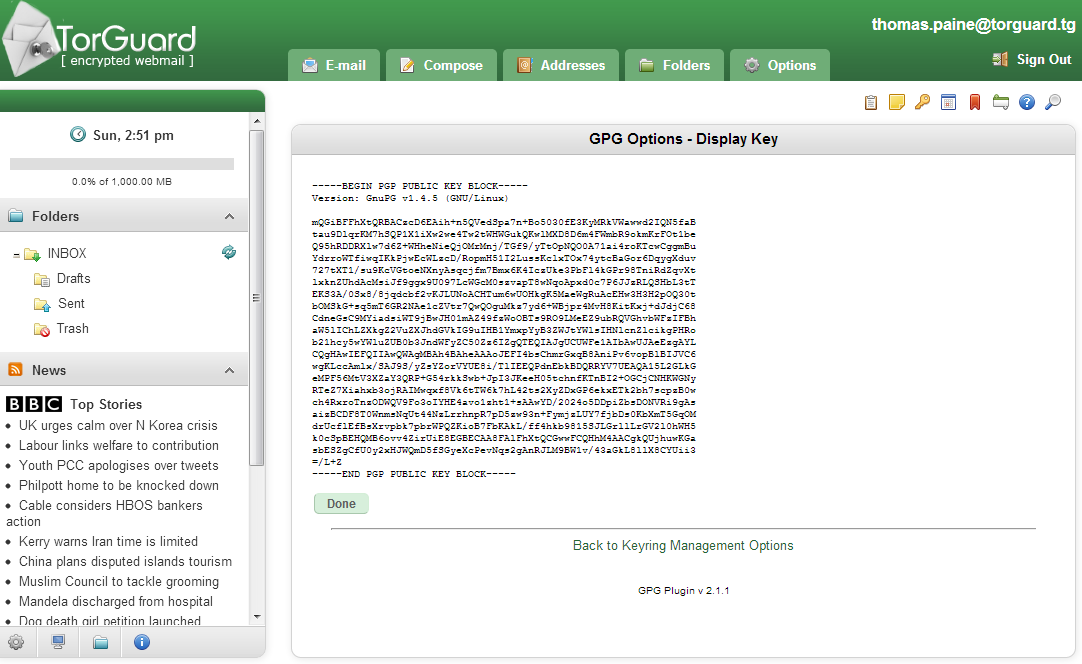
7.) Copy/paste the full key below and use this as the public key that you share with other recepients.
Congrats! You have now generated a new keypair for your TorGuard encryted webmail box.
Anonymous VPN Service
Ensure privacy with TorGuard
Knowledgebase
Encrypted Email: How to generate a new private Key Pair
TorGuard Encrypted Webmail: How to generate a public Key
This tutorial will show how to generate your personal public OpenPGP Key to send encrypted and anonymous email with TorGuard webmail.
In order to communicate with true end to end encryption, you must first create a public key to exchange with other email receipients.
1.) First, login to your secure TorGuard webmail box at:
https://torguard.tg/mail
2.) Next, access your keyring management screen by clicking the "key" icon in your top toolbar.
3.) Next, to generate your new personal public/private key pair click "Generate new personal key pair" as seen below:
4.) Next, enter your Full Name, email address, requested keystreangth, expiration date, and requested passphrase. Make sure the passphrase is a secure password you'll remember as this will be required to decrypt messages. The default values for keystreangth and expiration date are OK to use.
Click, "Create New Personal Keypair"...
5.) IMPORTANT: Depending on your connection speed, it may take up to five minutes for the server to generate a new personal key pair.
Please be patient and don't click anything until the success message appears. Once complete, click "View Key" to proceed to the next step.
6.) Here you will see your Key details, including the type, length, fingerprint and expiration date. To view your public key that you will share with others, click "View Key" as seen below:
7.) Copy/paste the full key below and use this as the public key that you share with other recepients.
Congrats! You have now generated a new keypair for your TorGuard encryted webmail box.


