Great!

I'm happy that I was able to help and you got what you needed during the sale.
I don't know if you're new to shopping at Basicstero.
So, for your convenience, I want to share the links below that also may be helpful. For example, make sure that you submit the payment information in your Basicstero account after sending funds so they can locate and verify the funds for your order.
• How-To Submit Payment Info Guide:
How-to Submit Payment Info Guide
This guide gives step-by-step instructions of how to submit payment information on the Basicstero site.
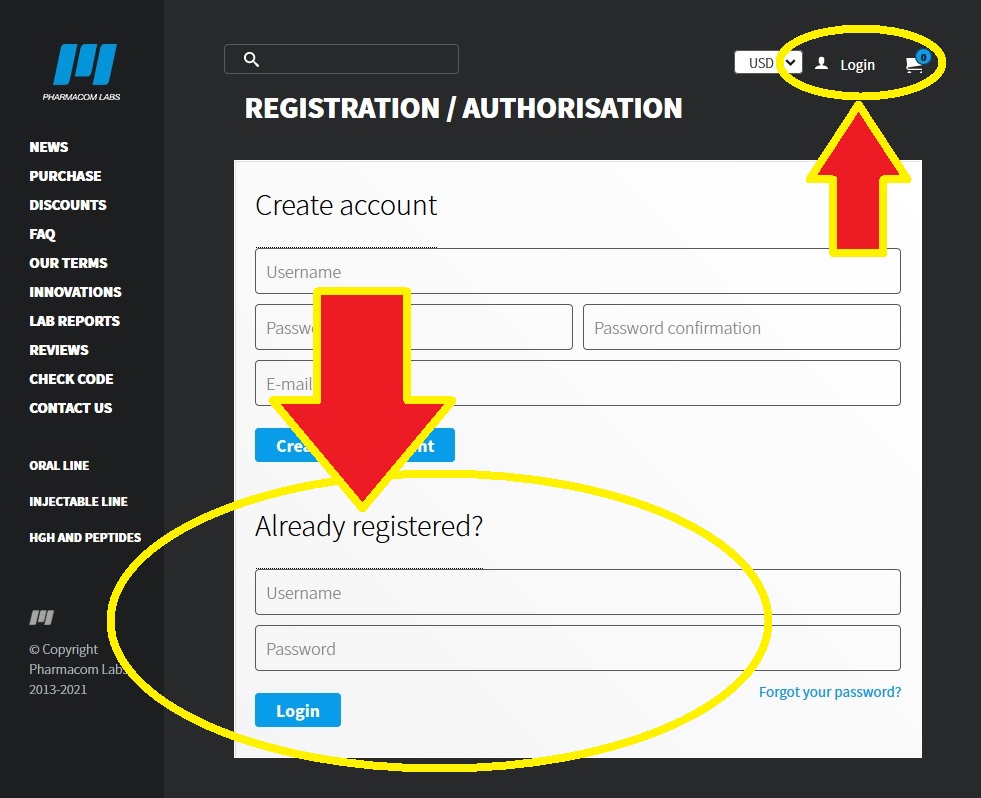
• Step-1: Log into your Basicstero account.
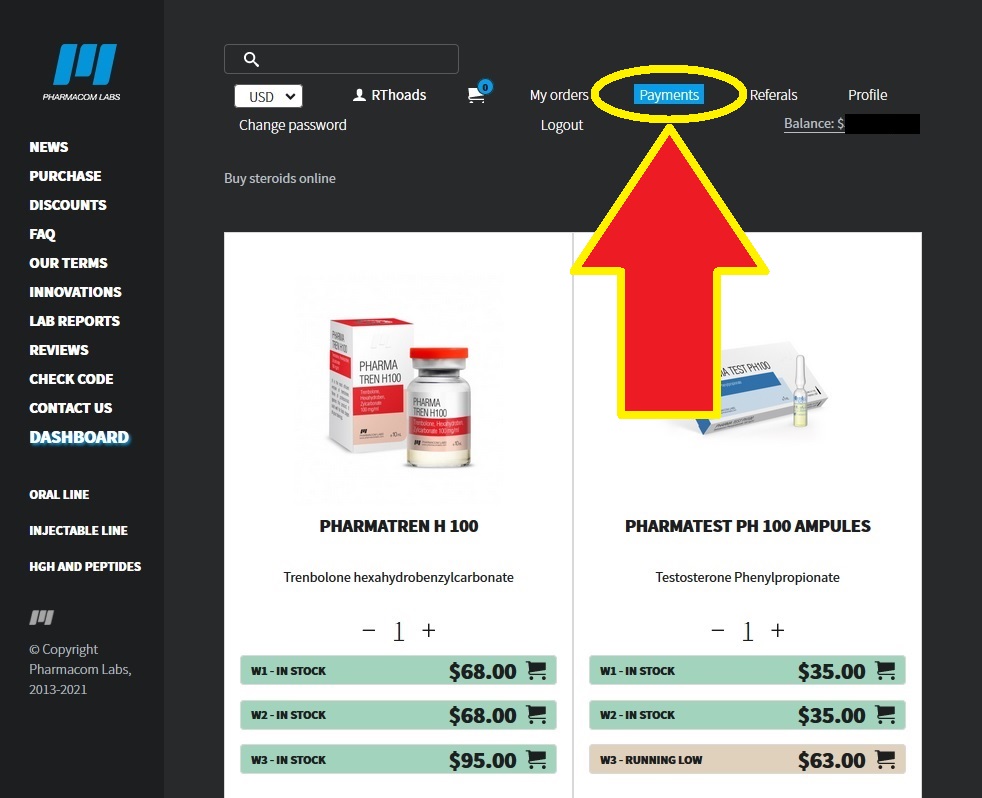
• Step-2: Select "Payment" link from the dashboard options.
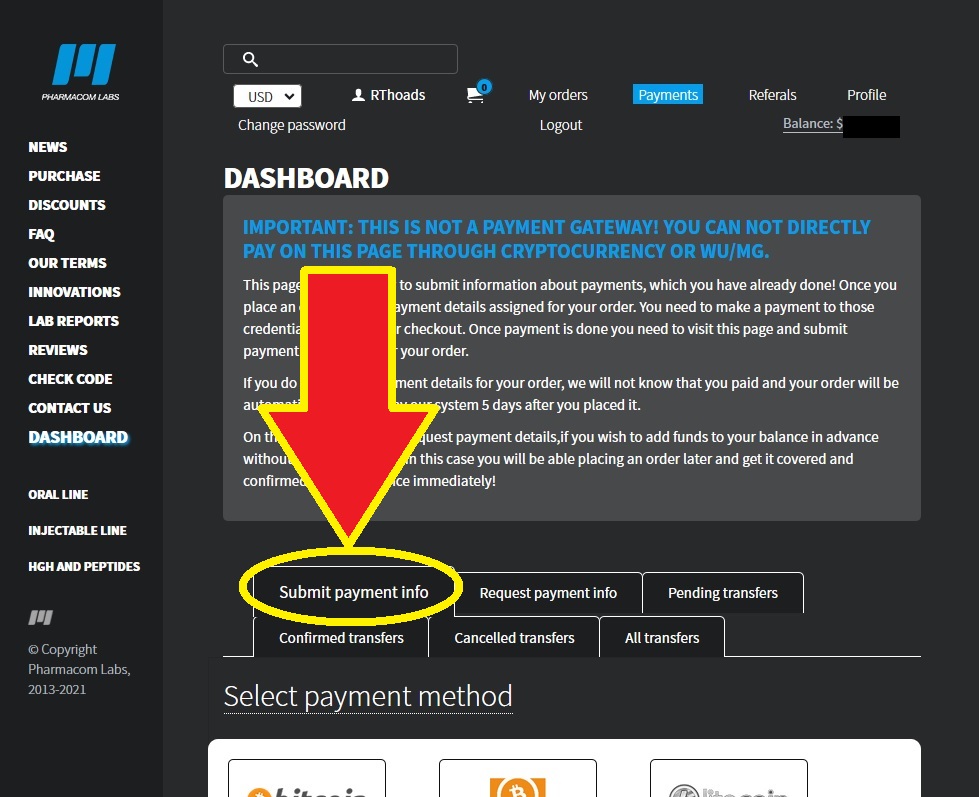
• Step-3: Select the "Submit payment info" option from the menu on the Payment page.
• Step-4: Select the payment method by clicking on the type of method that was used to...
• How-To Check Order Status and Details Guide:
How-to Check Order Status and Details
What is the current status of your order?
Have you submitted payment and want to know if the payment has been successfully received and confirmed by the source yet?
Do you want to see if tracking info has been uploaded yet?*
Order Statuses and What They Mean
1. WAITING FOR PAYMENT is assigned immediately after you place an order.
2. PAYMENT IS BEING CHECKED is assigned after you submit payment information into your account, but not yet confirmed to the order.
3. ORDER PROCESSING is...
• How-To Contact Basicstero Customer Support:
How-To Contact Basicstero Customer Support
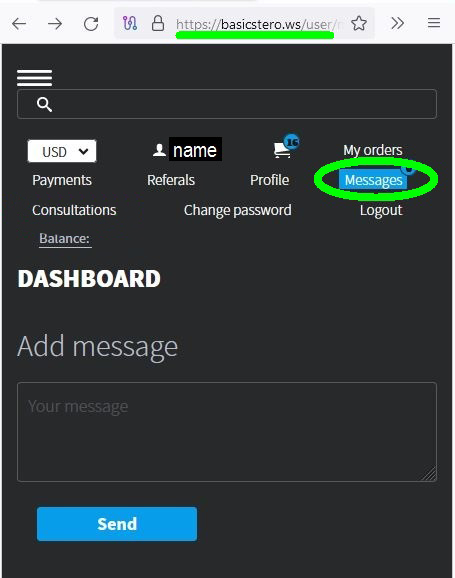
Now you can contact Basicstero’s customer support directly via an internal messenger in your Basicstero account instead of filling out a form on the “Contact Us” page.
For your convenience, Basicstero has added a
"Messages" section on the store website where you can contact customer support for any questions or help you need (such as with payment, ordering, account, etc.).
You can find this new option on the top bar when logged into your Basicstero account.